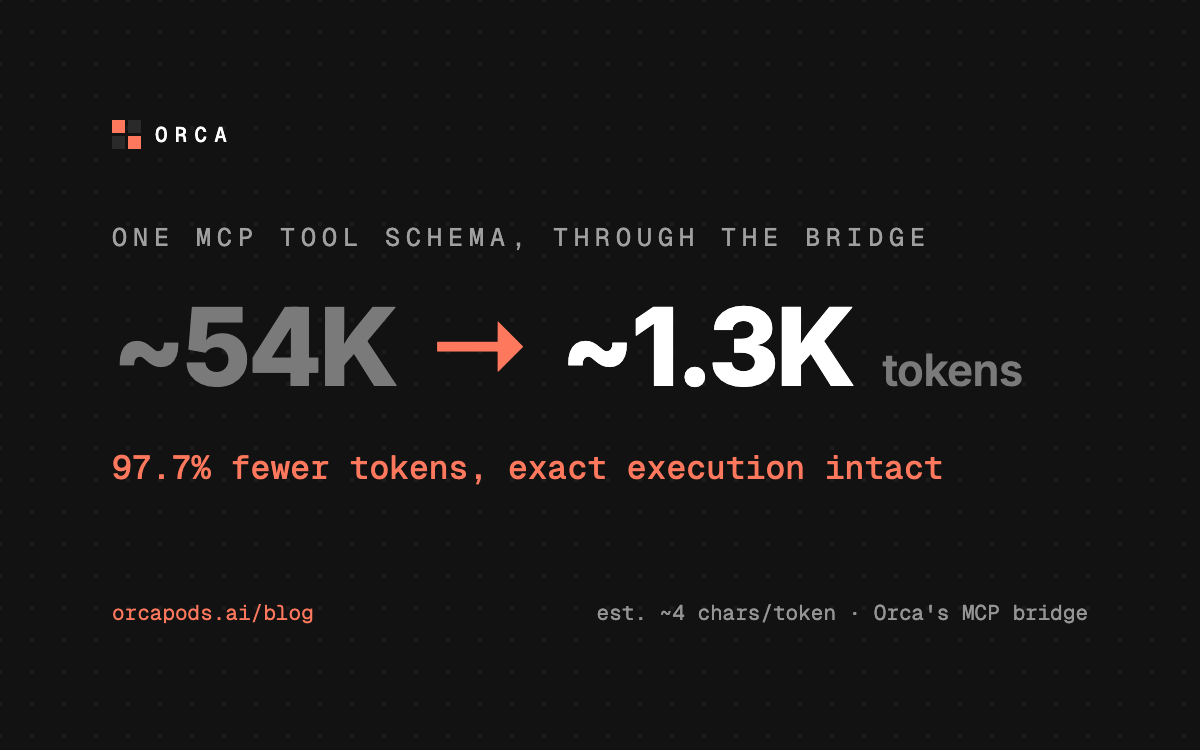
A single MCP tool can carry a schema tens of thousands of tokens wide. Registered straight with a model, that whole definition is read on every turn, before the model even knows which tool it needs. Orca's MCP bridge keeps the full schema server-side and hands the model a small card on demand. In a stress test, one tool's schema dropped from an estimated 54,000 tokens to about 1,300: a 97.7% cut, with exact execution intact.
Two honest caveats before the how. Token counts are an estimate: the hard measurement is bytes (217,316 down to 5,062), converted at roughly four characters per token, the same method the bridge uses for its own telemetry. And it is one deliberately oversized schema, not a promise that every catalog saves the same. What it demonstrates is the shape of the design: the model never reads a growing catalog, only two fixed operations and a few small cards. Here is how, and where it stops.
- MCP tool
- An operation exposed by a Model Context Protocol server, such as creating a ticket or reading a calendar.
- Tool schema
- The machine-readable name, description, input fields, types, and rules for calling one tool.
- Context window
- The model’s working memory for a request. Tool definitions consume part of it before the model writes an answer.
A model normally pays for the whole catalog before making one call.
MCP discovery starts with tools/list. Each result can contain a name, explanatory prose, annotations, and a JSON Schema describing valid inputs. JSON Schema is simply a structured set of rules: which fields exist, which are required, and what values they accept.
If every discovered tool is registered directly with the model, all of those definitions become part of its input. A user asking to create one issue may therefore pay the context cost of calendar, CRM, messaging, storage, and hundreds of unrelated operations.
const toolContext =
  platform_tools
  + every MCP tool name
  + every MCP description
  + every MCP input schema
The bridge changes what scales. A larger catalog increases server-side storage and search work, but the model-facing tool list remains fixed. Only matches for the current request are returned.
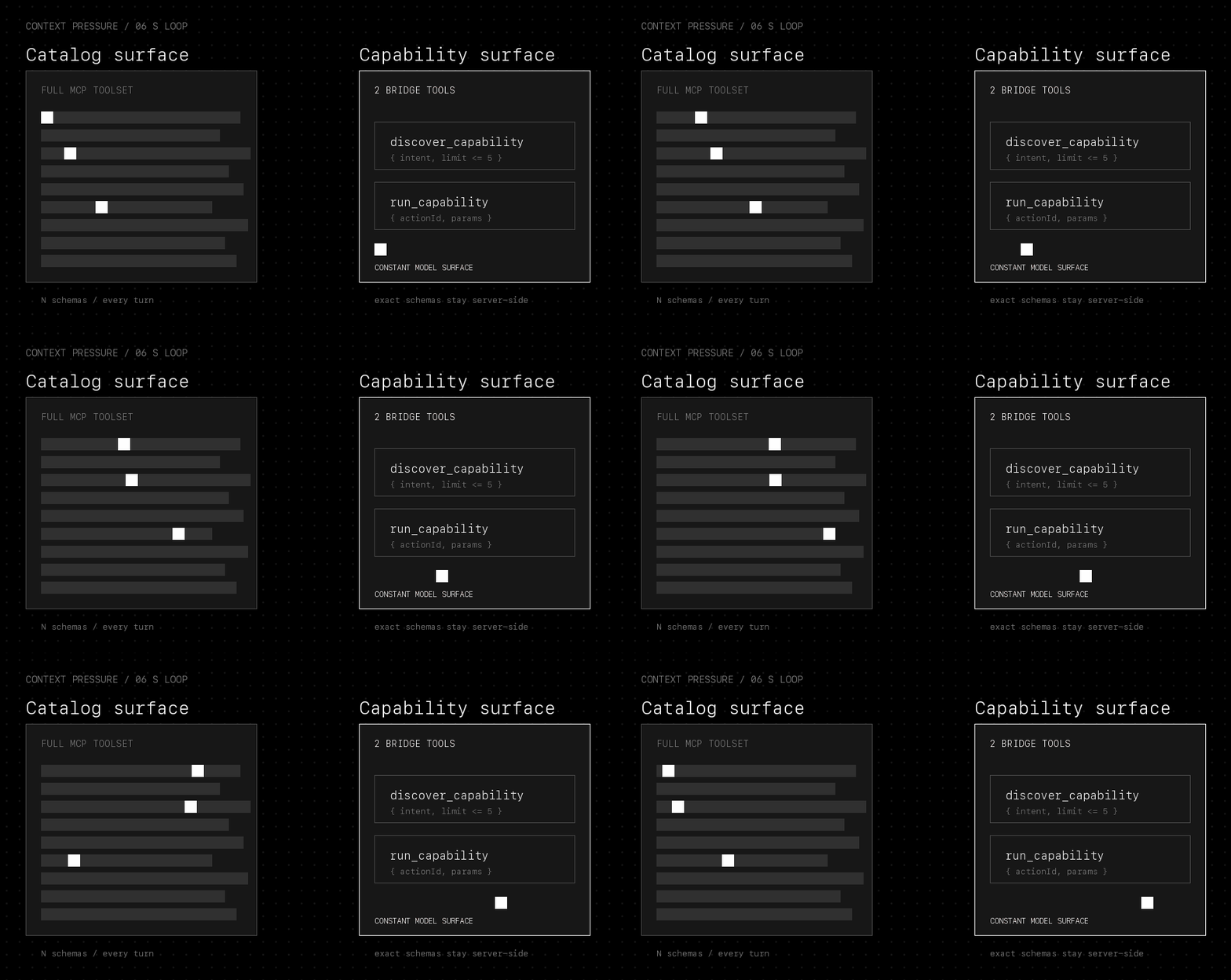
Treat the bridge as a small service with two model-facing operations.
You do not need to understand the rest of Orca to follow this design. From the outside, the MCP bridge has four responsibilities: read tool catalogs from MCP servers, store exact schemas, search compact descriptions, and execute a selected tool.
Search for a useful operation using a plain-language intent such as “create a support ticket.”
Execute one discovered operation using its temporary action ID and the supplied parameters.
discover_capability({
  intent: string,        // what the user wants to do
  limit?: 1..5           // default: 3 matches
})


run_capability({
  actionId: "act_...",   // temporary selection handle
  params?: object        // values needed by the tool
})
Together, these two definitions remain below 4,000 bytes by contract. Their size does not change when another MCP server or another thousand tools are connected.
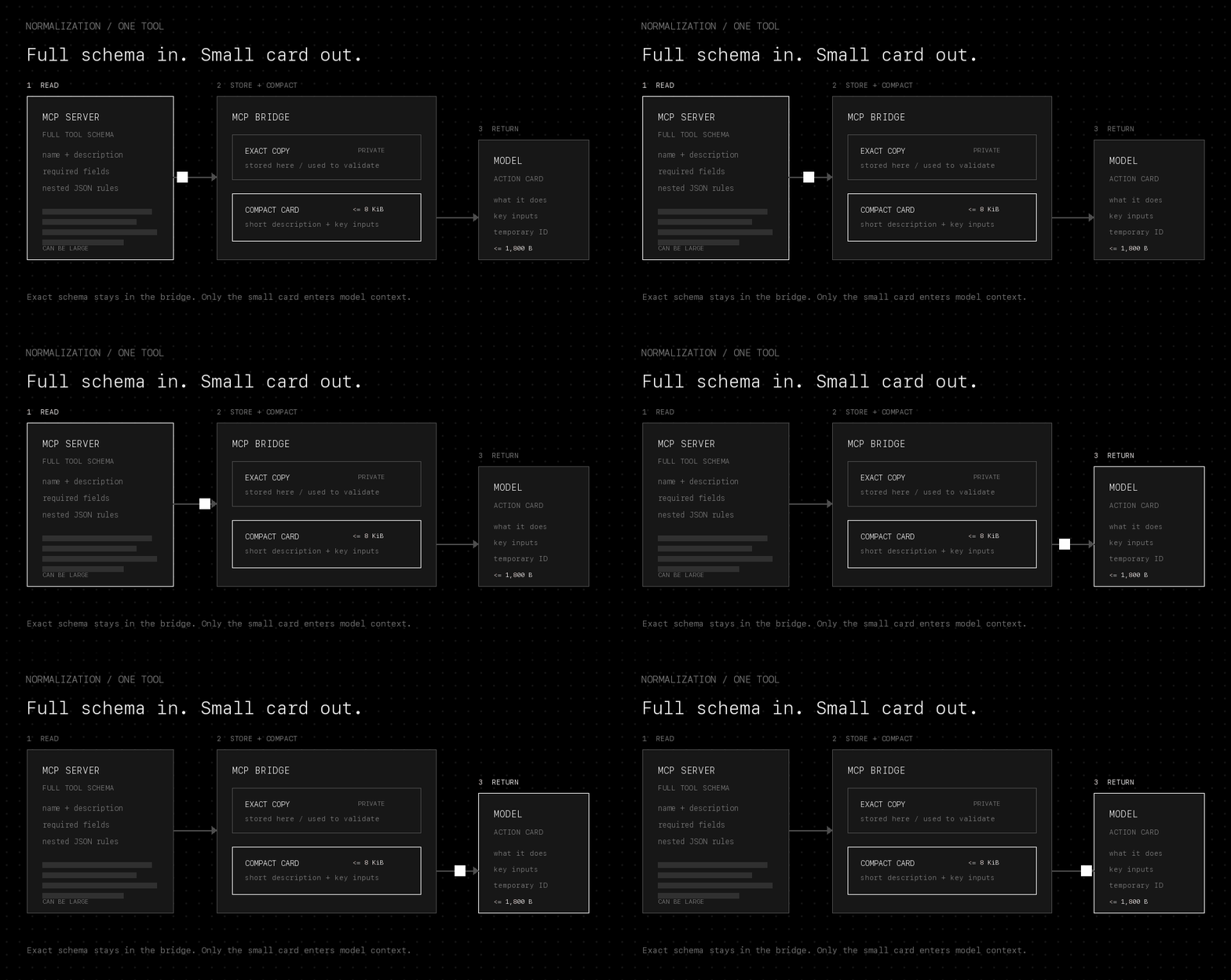
Store the exact schema, but give the model a compact card.
Normalization means converting many provider-specific descriptions into one predictable internal format. When the bridge reads an MCP tool, it creates two representations of the same operation:
The original tool name, complete input schema, annotations, schema hash, and a private map of parameter names.
A temporary action ID, short description, provider label, risk, confidence, and a bounded list of top-level inputs.
The exact definition is the source of truth. It is never replaced by the card. The card is only a smaller reading and selection aid, which means its fields can be shortened or omitted without weakening validation later.
Normalization also places hard limits around untrusted or unusually large catalogs. The MCP client accepts at most a 16 MiB catalog and 5,000 tools. Each raw input schema is limited to 256 KiB and 32 levels of nesting. Long prose, parameter counts, enum values, defaults, summaries, and the final card all have separate budgets.
const limits = {
  rawSchema: "256 KiB",
  schemaDepth: 32,
  providerProse: "4,000 characters",
  projectedParameters: 32,
  normalizedCard: "8 KiB",
}
Aliases keep awkward field names out of the model view
An alias is a safer, simpler label for a provider field. Clear names such as message_id can remain readable. Names that collide, are excessively long, or contain unsupported characters become neutral labels such as param_01. The bridge privately remembers that param_01 maps back to the provider's exact field name.
Deeply nested objects are not expanded into the compact card. If the card cannot safely express every required input, it says that execution may request more information. It does not pretend the shortened representation is complete.
Search the private catalog only when the model has an intent.
discover_capability receives a sentence such as “find the customer's unpaid invoices.” The bridge searches only the tools available to that request, then ranks the most relevant results.
It uses full-text search for word matches, trigram search for partial words and typos, and optional vector search for similar meaning. A vector is a numerical representation of meaning, so it can match “open a case” with a tool described as “create a support ticket” even when the wording differs. If vector search is unavailable, the other two methods still work.
const candidates = parallel(
  full_text(intent),       // exact words
  trigram(intent),         // partial words and typos
  vector(intent)           // similar meaning, optional
)


const ranked = combine_rankings(candidates)
The final response is bounded twice: one action card can be at most 1,800 bytes, and the complete discovery result can be at most 6,000 bytes or five matches. If another field or result would cross the limit, the bridge leaves it out and keeps execution conservative.
Recover the full schema only after a tool is selected.
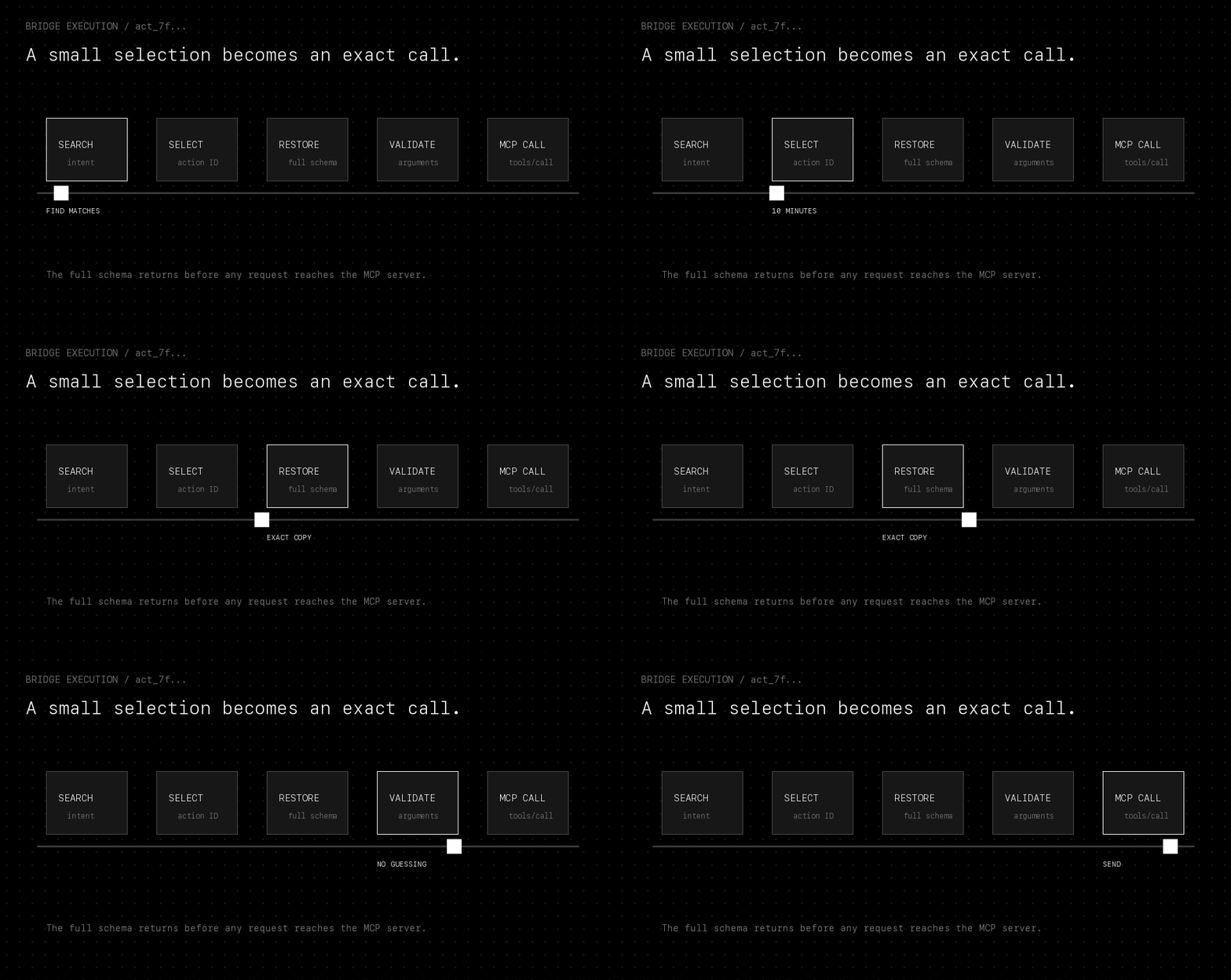
Every discovery result receives an opaque handle: a random temporary ID such as act_7f…. “Opaque” means the model cannot decode a provider name, credential, or permission from it. The handle simply refers back to the exact definition stored in the bridge and expires after ten minutes.
When the model calls run_capability, the bridge resolves that handle, verifies that it is still valid, checks that the provider schema has not changed, maps safe aliases back to exact provider field names, and validates the arguments against the complete JSON Schema. Only a valid request reaches MCP tools/call.
model parameters
  -> resolve temporary handle
  -> restore exact schema
  -> map aliases to provider fields
  -> check required fields
  -> validate types and allowed values
  -> call MCP server
This is why token reduction does not require weaker execution. The model uses a lossy card to choose a tool; the bridge uses the lossless definition to call it. If a required value was omitted from the card, the bridge returns a small needs_input response instead of guessing or sending an invalid provider request.
The bytes behind the token estimate.
A focused regression test builds one deliberately oversized MCP tool: 300 string parameters, each carrying roughly 600 bytes of description. The fixture runs through the real normalization and exact argument-mapping code, not a separate demo compressor, and the numbers below are its live output.
Those descriptions even embed a prompt-injection lure that tells the model to ignore its instructions and reveal credentials. The test confirms none of it survives into the model-facing card. The exact schema stays inside the bridge; the card carries only bounded, sanitized fields.
The card retained 32 of the 300 top-level parameters because 32 is the projection limit. Since the compact view could not express every requirement, the result remained marked as uncertain and execution stayed conservative. The test also proves that the retained safe aliases map back to the exact provider field names before the MCP call.
Bytes and model tokens are related, but not identical
A token is a chunk of text processed by a model; it is not always one word or a fixed number of bytes. Runtime telemetry therefore reports a clearly labeled estimate using roughly four Unicode characters per token. The estimate is useful for comparing the old catalog surface with the bridge surface, but it is not presented as a bill from a model provider.
What this optimization does not solve.
The model searches before it executes. The extra bounded call buys a stable context footprint and a smaller selection surface.
The bridge limits transport payloads, but successful tool output can still be large. This design compresses schemas, not every result returned by a provider.
If vector search is unavailable, discovery falls back to word and partial-word matching. Results may be less flexible, but execution remains exact.
Omitting deep schema detail is deliberate. The bridge may ask for a missing value after selection instead of placing every conditional rule in context upfront.
The method can be summarized in one sentence: keep the complete tool definition inside the bridge, retrieve a small view for the current intent, and restore exactness only when the selected tool is executed. Context use then follows the user's request instead of the total number of connected MCP tools.